
ChatGPT Training for Employees: Test Project-Only Memory
Teach employees to inspect and test a ChatGPT Project’s context boundary with fictional facts before relying on it for work.
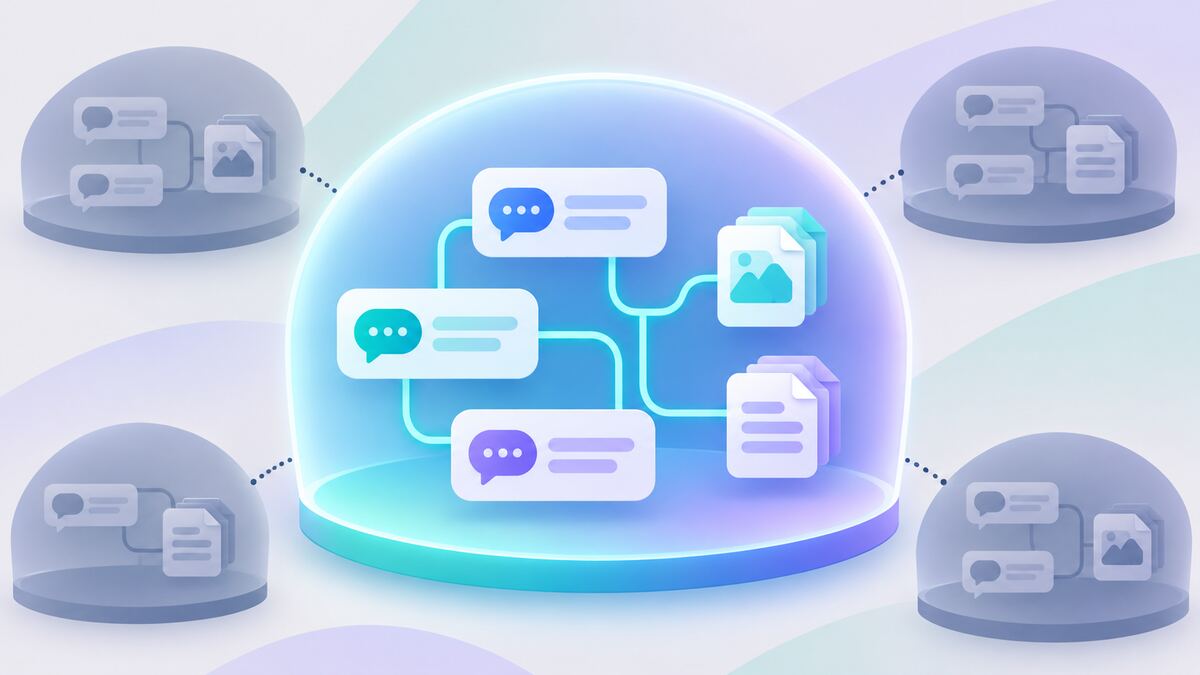
ChatGPT training for employees should include one simple lesson about Projects: a project can organise chats, files and instructions, but its memory boundary depends on the active setting, plan and workspace controls. Employees should inspect that boundary and test it with fictional information before they rely on it. A project-only memory setting limits which conversations can supply context; it does not grant permission to upload data or replace company policy.
This distinction matters because a tidy project sidebar can feel more isolated than it is. Current OpenAI documentation says projects can use default or project-only memory. With project-only memory, chats may reference other conversations in the same project, not conversations outside it, and outside chats cannot reference the project. Shared projects use project-only memory automatically. Default-memory behaviour varies by plan and settings.
Teach the context boundary before the prompt
The boundary test
Inspect
Open Project settings and record whether memory is Default or Project-only. Check that the option exists in the employee’s workspace.
Seed
Add a harmless fictional marker inside the project, such as a made-up product codename and colour.
Probe
Ask a new project chat about the marker, then ask a chat outside the project. Do not use personal, customer or confidential data.
Decide
Compare the result with the intended workflow and the organisation’s approved data and sharing rules.
The test is a learning exercise, not a security certification. Model responses can be uncertain, settings can change, and OpenAI notes that memory-setting changes may take time to take effect. The result should teach employees where to look, what to question and when to stop—not prove that a boundary can never fail.
Default memory and project-only memory are not the same
| Default memory | Project-only memory | |
|---|---|---|
| Inside the project | Uses project chats and files; other context depends on plan and settings | Uses chats and files from the same project |
| Outside conversations | May be referenced on some plans when memory is enabled | Cannot be referenced by project chats |
| Outside chats using project context | May occur on some plans | Not allowed by the memory boundary |
| Shared projects | Not the shared-project mode | Automatically use project-only memory |
| Data permission | Still governed by workspace policy | Still governed by workspace policy |
For Enterprise and Edu, OpenAI documents contained project chat references even under default memory, while other plans, including Business, may allow project and non-project conversations to influence one another when memory is enabled. That is why a trainer should not teach a single universal rule from a personal account. Demonstrate the setting in the actual managed workspace.
Reading is a start. Practice makes it stick.
Start learningA ten-minute ChatGPT training drill for employees
Run the test with fictional facts
- 1
Create or choose a training project
Use a project with no live business data. If the setting is available, note whether it is Default or Project-only.
- 2
Add a fictional marker
In one project chat, state: “For this exercise, the fictional Northstar folder uses the colour amber.”
- 3
Test inside the project
Open a second chat in the same project and ask for the fictional Northstar colour. Record whether the answer uses the earlier context.
- 4
Test outside the project
Open a normal chat outside the project and ask the same question. Record the response without trying to force disclosure.
- 5
Reverse the direction
Place a different fictional marker outside the project, then ask for it inside the project.
- 6
Explain the result
Link what happened to the active setting, plan and workspace rules. Escalate any mismatch rather than improvising a policy.
A good trainer narrates three separate questions. First: can this chat draw on earlier context? Second: who can view or join the project? Third: is this information approved for the tool at all? Memory, access and data classification are related, but they are not interchangeable.
Common mistakes to correct
- Calling project-only memory a secure vault. It describes context use, not a complete security or compliance guarantee.
- Testing with real customer, employee or commercially sensitive information. Fictional markers are enough.
- Assuming every employee sees the same setting. Workspace administrators and plan requirements affect availability.
- Changing a setting and testing immediately. OpenAI says changes may take a few hours to take effect.
- Treating a successful recall as proof that a statement is true. Memory supplies context; it does not verify facts.
The most useful outcome is a shared habit: inspect, test safely and confirm policy before starting the task. Pair this drill with Bokili’s Projects review standard, clean-context drill and Temporary Chat lesson. HR and learning teams can also use the Bokili for HR pathway to plan role-based practice.
- Open the real training workspace and capture the current project-memory options.
- Run the fictional inside/outside marker test once for each approved plan or role.
- Write one sentence explaining memory, one explaining access and one explaining data permission.
- Add a stop rule: if the observed boundary differs from the expected one, do not use live data; ask the workspace owner.
- Date the lesson and schedule a recheck when product settings or workspace policy change.
A short boundary test makes ChatGPT training for employees more concrete. People learn not only where to click, but how to verify the context conditions of the work they are about to do.
Sources
- Projects in ChatGPT — OpenAI Help Center
- Using projects in ChatGPT — OpenAI Academy
- Memory in ChatGPT — OpenAI Help Center
Reading is a start. Practice makes it stick.
Bokili turns skills like this into ten-minute missions for your whole team, with instant feedback and progress you can see.
Start learningKeep reading

AI Training for Employees: Pause Before Recording a Meeting
Teach employees a five-part check for purpose, notice, sensitive data, approved tools and downstream use before an AI recorder joins.

Critical Thinking Is Not a Module in AI Training
Make judgement observable by adding one challenge question—and one correction—to every realistic AI practice task.
AI Training for Employees: Add Two New-Hire Checkpoints
Build AI training into onboarding with a safe first-week practice and a fresh transfer check after the new hire learns the workflow.