

AI Training for Employees: Make Practice Accessible
Keep one practical skill standard while giving employees accessible ways to learn, practise and show what they can do.
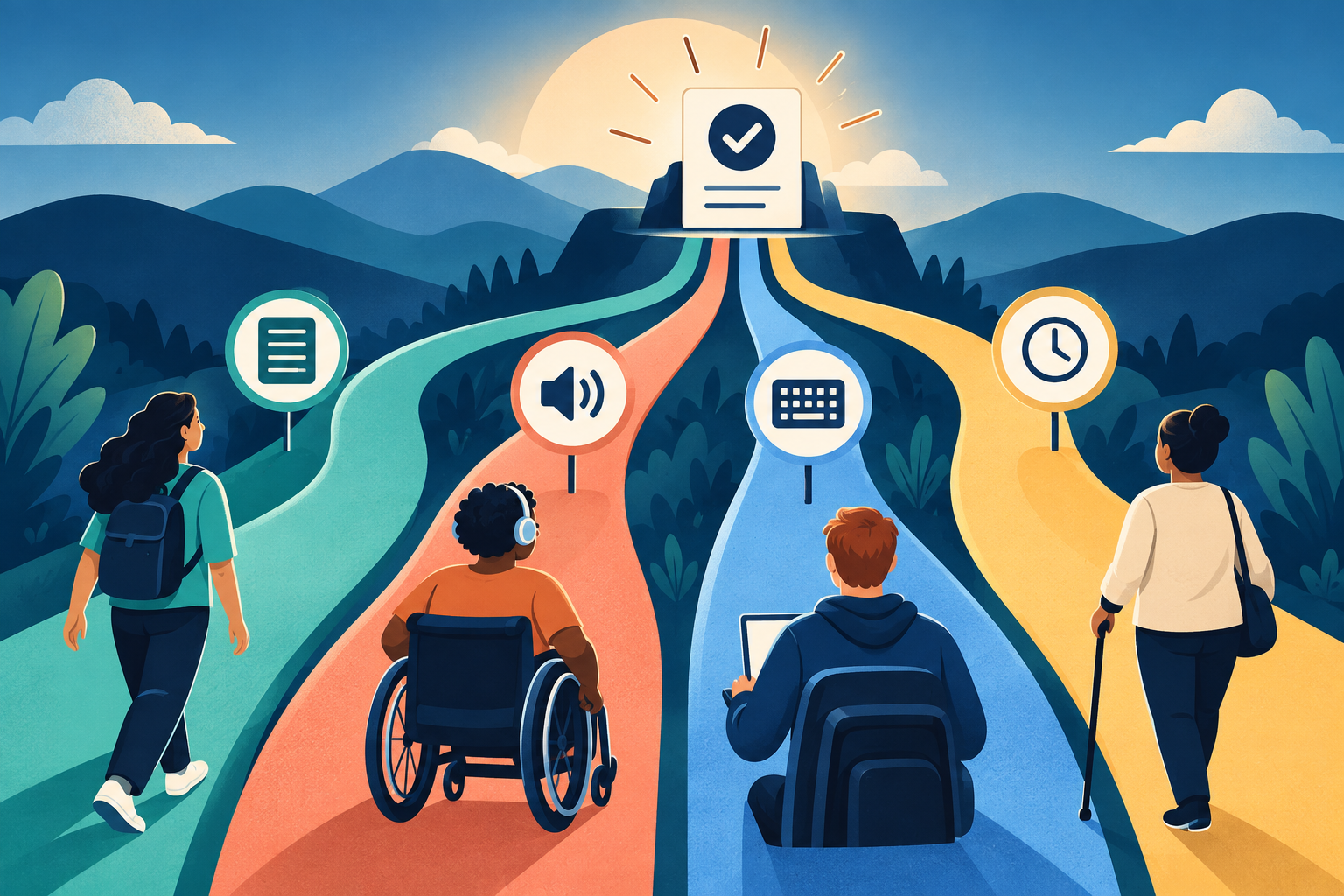
AI training for employees is not accessible merely because everyone receives the same link. A video without captions, a timed mouse-only exercise, dense instructions or a single way to prove the skill can block a capable learner before the AI task even begins. The result then measures access friction, not practical AI ability.
A better design keeps one observable work standard and offers more than one usable route to learn, practise and demonstrate it. The goal is not to make the skill easier. It is to remove barriers that are unrelated to the skill.
Why accessible AI training for employees starts with the task
The W3C describes accessibility across auditory, cognitive, neurological, physical, speech and visual abilities. It also notes that badly designed digital tools can create barriers. For learning teams, that means accessibility is not a final formatting check. It shapes the platform, instructions, examples, timing, interaction and assessment from the start.
The European Commission’s current AI-literacy guidance asks organisations to consider people’s technical knowledge, experience, education and training, along with the context and purpose of the AI system. It does not prescribe one universal course format. That supports a practical design rule: hold the work behaviour steady while adapting how people reach it.
| Single-route training | Accessible practice design | |
|---|---|---|
| Instruction | Dense page or spoken video only | Clear text plus an equivalent audio or captioned route |
| Interaction | Mouse, drag and strict timer | Keyboard-friendly steps and suitable timing |
| Practice | One unfamiliar case | A clear, low-risk task with context explained |
| Evidence | Complete the same interface | Show the same observable skill through an equivalent route |
| Support | Ask after failure | State support and adjustment routes before practice |
Use the EQUAL design check
One standard, flexible routes
E — Evidence stays fixed
Define the behaviour that proves the skill, such as removing restricted data and checking two material claims.
Q — Question the barrier
Ask what in the content, interface, time limit or environment could block the learner for reasons unrelated to the skill.
U — Usable material
Write short instructions, explain unfamiliar terms, add useful alt text and captions, and avoid colour or layout as the only cue.
A — Alternative route
Offer an equivalent way to receive instructions, complete the interaction or show the result without changing the standard.
L — Learner test
Test the complete route with people who use different devices, assistive technology and learning preferences. Fix the barrier before launch.
Clear language is part of the route. W3C guidance on reading level recommends writing as clearly and simply as possible and providing support when complex text is necessary. Short sentences and common words reduce decoding effort. In AI training, they also make tool rules and stop conditions harder to miss.
Worked example: one safe-summary skill, four routes
Suppose the learning outcome is: “The employee can turn fictional meeting notes into an action list, remove restricted details, mark missing owners and verify every date.” The evidence is the same for everyone: safe input, complete actions, visible uncertainty and checked dates.
Reading is a start. Practice makes it stick.
Start learningThe learning team provides the notes as structured text that works with screen readers, a clean printable version and a captioned audio explanation. The exercise works without drag-and-drop. Learners can use the keyboard, request extra time or submit the same final action list through an approved document template. None of these routes removes the data decision or the verification step.
A learner who uses voice input may dictate the prompt and then inspect the action list with a screen reader. Another may read the short text guide and type it. A third may practise with a facilitator who describes the interface while the learner makes every decision. The route changes; the skill does not.
Build the first accessible practice route
- 1
1. Name one work behaviour
Choose a narrow, observable skill. Avoid broad outcomes such as “understands AI”.
- 2
2. Separate skill from interface
List what must be demonstrated, then remove clicks, speed or visual scanning that are not part of that skill.
- 3
3. Prepare equivalent material
Provide clear text, meaningful alt text, captions or transcripts and a keyboard-friendly path.
- 4
4. Offer support early
Explain how to request an adjustment or facilitator help before the assessment starts.
- 5
5. Test with real routes
Run the task using a keyboard, screen reader or alternate format. Record where the learning breaks.
- 6
6. Review the same evidence
Score the safe input, checked output and human judgement—not the route used to produce them.
Keep accessibility separate from lower expectations
An accessible route is not a pass without evidence. If a task tests whether someone can spot an unsupported claim, every learner must still spot it. What changes is the way the claim is presented and the way the learner records the answer. This distinction protects both inclusion and the credibility of the programme.
For UK employers, GOV.UK guidance says reasonable adjustments should prevent disabled workers or people with health conditions from being substantially disadvantaged, and it explicitly includes training opportunities. Requirements differ by jurisdiction, so involve the appropriate HR, accessibility and legal owners rather than treating this article as legal advice.
Connect accessibility to the wider learning system
Pair this guide with the three-task employee baseline, the frontline shift playbook, the multilingual corporate training model and the safe practice sandbox. The Bokili programme for HR and L&D supports short practice adapted to role, level and tools.
- Choose one existing AI exercise and write its single observable skill.
- Try to complete it without a mouse and without relying on colour alone.
- Check whether every video has captions or an equivalent transcript.
- Rewrite the longest instruction using short sentences and common words.
- Name one alternate route that preserves the same evidence standard.
- Record who will test the route and who owns adjustment requests.
Make the skill visible, not the barrier
Accessible AI training gives more employees a fair chance to practise the behaviour the organisation actually needs. Start with one narrow task, keep the evidence standard clear, and remove everything that measures the interface instead. Bokili’s focused missions can help teams repeat, correct and demonstrate practical AI skills without turning one route into the definition of ability.
Sources
- Introduction to Web Accessibility — W3C Web Accessibility Initiative
- Understanding WCAG 2.2 Success Criterion 3.1.5: Reading Level — W3C Web Accessibility Initiative
- AI Literacy — Questions & Answers — European Commission
- Reasonable adjustments for workers with disabilities or health conditions — GOV.UK
Reading is a start. Practice makes it stick.
Bokili turns skills like this into ten-minute missions for your whole team, with instant feedback and progress you can see.
Start learningKeep reading

AI Upskilling for Teams: Use a Teach-Back Test
Turn one completed AI lesson into shared working knowledge: explain the method in plain language, then let a colleague apply it to a fresh case.
After AI Automation, Audit the Cases That Passed
Exceptions show visible failures. A small, risk-based sample of accepted cases can reveal silent ones and feed better thresholds, controls and training.
AI Training for HR: Check AI-Drafted Performance Goals
A four-part check helps HR teams and managers turn fluent AI drafts into fair, observable goals that people can actually work towards.