

An AI Training Dashboard Should Trigger One Support Action
Read participation, completion and demonstrated-skill signals as questions, then remove one barrier to useful AI practice.
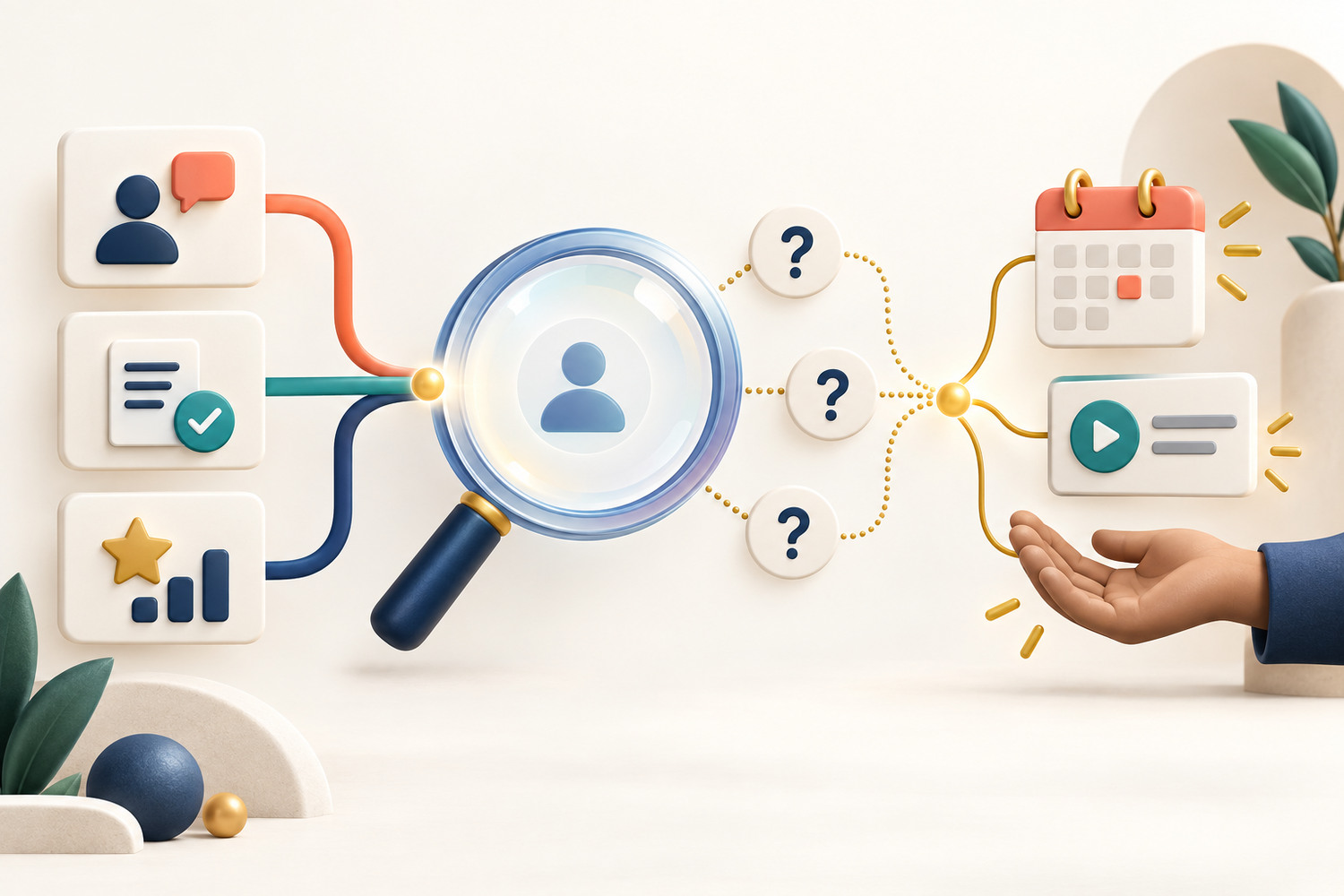
A training dashboard can show that a team is not moving. It cannot tell you why. Low completion might mean the lesson feels irrelevant, the approved tool is unavailable, practice time keeps being cancelled, the instructions are unclear, or the task is harder than expected. The useful managerial move is therefore not to judge the people behind the number. It is to treat the signal as a prompt for one small investigation and one support action.
A signal is not a verdict
Use learning data to ask a better question, then change one condition that helps people practise. Do not turn a training dashboard into an employee ranking.
What an AI training dashboard can and cannot tell you
Bokili’s public product pages describe an admin console that shows participation, completion and demonstrated skills per team. Those are different signals. Participation shows whether people started. Completion shows whether they reached the end. Demonstrated skills show what appeared in completed practice. None of them, on its own, proves motivation, competence across every task, or work performance.
That distinction matters because the same number can point to different causes. A completion drop after a new mission may indicate difficulty. It may also indicate a busy reporting week or a missing licence. The US Office of Personnel Management makes a broader training point: a needs assessment should examine the gap, its causes and the ways to close it, and training is not always the only solution. A dashboard helps locate the question; the manager still has to understand the work.
| What it shows | What it does not prove | Useful next question | |
|---|---|---|---|
| Participation | Who began the assigned practice | Interest, effort or tool access | Could everyone open the tool and find ten protected minutes? |
| Completion | Who reached the end of the activity | Reliable performance in a new work task | Where did people stop, and what condition blocked the next step? |
| Demonstrated skill | A behaviour visible in the submitted practice | Ability in every context or future task | Which fresh task would test the same behaviour again? |
Use the signal–question–support loop
A useful dashboard review ends with an action that changes the learning environment. The action should be small enough to test within a week. If you change the mission, the available tool, the time and the manager message at once, you will not know what helped.
From data to support
1. Signal
Name one team-level pattern without adding a story. Example: six of ten people started the source-checking mission; two completed it.
2. Question
Ask for the missing context. Could people access the approved tool? Was the task connected to current work? Which step caused the stop?
3. Support
Change one condition: protect ten minutes, provide a safe sample, clarify the quality check, or schedule a short manager demonstration.
4. Recheck
Look at the same signal after the support action and inspect one fresh work sample. Keep, adjust or stop the intervention.
This loop keeps the data close to its proper job. It helps a manager choose support; it does not convert a learning trace into a complete account of a person. The related guide on measuring AI training beyond completion explains how to move from activity to work evidence. The work-transfer method adds a fresh, reviewed sample when you need stronger evidence.
Reading is a start. Practice makes it stick.
Start learningWorked example: a source-checking mission stalls
Imagine a customer-support team is assigned a short practice mission: turn a fictional policy note into a customer reply, cite the relevant lines and mark anything the note does not answer. Most people start, but few finish. The manager could send a reminder. That might raise completions without fixing the reason people stopped.
Instead, the manager checks the first barrier. The approved AI tool is available, but several team members do not have a safe sample in the format used by the mission. The manager adds one fictional policy note and blocks ten minutes at the start of the next team meeting. The quality standard stays the same: claims must trace back to the note, and missing information must stay explicit.
One-week support test
- 1
Record the pattern
Write the date, team, mission and one neutral sentence about the dashboard signal.
- 2
Ask one barrier question
Use a short anonymous pulse or team check-in: access, time, relevance, clarity or difficulty? Include an open field.
- 3
Choose one support action
In this example, provide a fictional source pack and protect ten minutes. Do not change the acceptance check.
- 4
Inspect the next evidence
Review whether more people completed the mission and whether the submitted replies trace claims to the source.
- 5
Decide
Keep the support if it removes the barrier, adjust it if the signal is unchanged, or stop if the original diagnosis was wrong.
Do not reward the wrong signal
A dashboard becomes less useful when the organisation rewards the easiest number to move. If managers are praised only for completion, they may assign simpler missions, chase people with reminders or compress reflection into a click. The visible metric improves while the learning standard weakens.
Keep a short decision note beside the dashboard: signal, likely cause, evidence needed, support action, owner and review date. This makes the intervention reviewable. It also separates a learning-support decision from a performance decision. A manager who needs to assess job performance should use the organisation’s proper evidence and process, not infer it from one practice record.
- Choose one team-level signal from the last seven days.
- Describe it without explaining it or naming individuals.
- List three plausible causes: one about access, one about work context and one about the learning task.
- Choose the cheapest question that distinguishes between those causes.
- Set one support action, one owner and a review date.
- Write what evidence would make you keep, change or stop the action.
The value is the next decision
The best training dashboard does not produce more watching. It produces a better support decision. See the pattern, ask what the number cannot answer, remove one barrier and check the next piece of work.
Bokili combines short role- and tool-aware missions with team-level views of participation, completion and skills. Managers can use that visibility as a starting point for support, then pair it with focused feedback and a fresh attempt. The second-attempt feedback loop shows how to keep the correction close to the work. Start with one team signal and make one useful condition easier this week.
Sources
- Features — AI training for teams — Bokili
- AI training for CEOs & founders — Bokili
- Planning & Evaluating — Training Needs Assessment — U.S. Office of Personnel Management
Reading is a start. Practice makes it stick.
Bokili turns skills like this into ten-minute missions for your whole team, with instant feedback and progress you can see.
Start learningKeep reading

Use AI to Prepare a Sales Discovery Brief Without Turning Guesses Into Facts
Build an evidence-first sales discovery brief that separates verified account facts, working hypotheses, open questions and follow-up owners.
AI Training for Employees: Practise the Sharing Decision
Add a release gate to AI training for employees so a checked output stays private, goes to review or reaches the right audience with approval.

AI Upskilling for Teams: Use a Teach-Back Test
Turn one completed AI lesson into shared working knowledge: explain the method in plain language, then let a colleague apply it to a fresh case.