

Run an Omission Check Before You Act on an AI Summary
A summary can be factually correct yet unsafe to act on. Use the COVER check to preserve constraints, owners, exceptions, evidence gaps and review triggers.
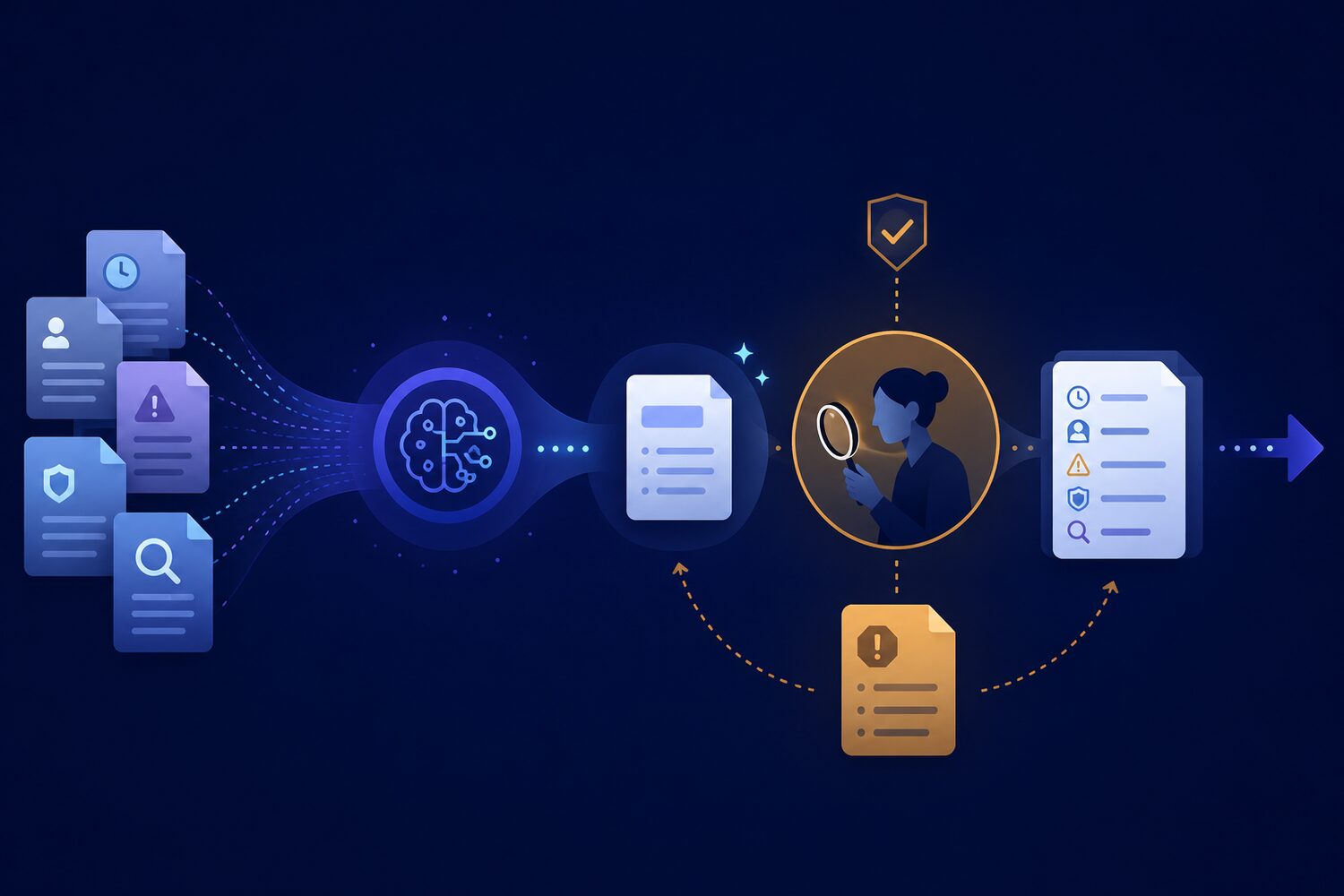
An AI summary can contain no invented fact and still be unsafe to act on. The problem is omission. A deadline disappears, an exception is flattened, a dissenting view is removed or an owner is left unnamed. The remaining sentences may all be true, yet the shortened version changes the decision.
That is why reviewing only the sentences that survived is not enough. Before a summary becomes a briefing, recommendation or hand-off, compare it with the source for the information that action depends on. The aim is not to recreate the whole document. It is to protect the few details whose absence would change what someone does next.
Accuracy is only half the check
A summary can be factually accurate sentence by sentence and still be materially incomplete. Review what is missing before you approve what remains.
Why omission is a separate AI risk
NIST’s Generative AI Profile warns that generative systems can produce inaccurate or internally inconsistent content and that confident outputs can mislead people into acting on them. Summaries add another pressure: they deliberately compress. Useful detail must disappear, so the reviewer needs a rule for deciding which details may not.
Research on LLM-based summary evaluation also identifies a “lost-in-the-middle” problem: important information in the middle of long documents can be overlooked during evaluation. The practical lesson is modest but important. Do not ask one broad question such as “Is this a good summary?” Extract the decision-critical items first, then test their coverage one by one.
| Sentence check | Omission check | |
|---|---|---|
| Question | Is each statement supported? | What must be present for safe action? |
| Evidence | Trace claims back to the source | Compare critical source items with the summary |
| Typical failure | Invented or distorted detail | Missing constraint, exception or owner |
| Outcome | Correct wording | Decision-ready coverage |
Use the COVER omission check
Five items that must survive compression
C — Constraints
Keep non-negotiable limits: dates, budgets, prohibited actions, definitions, scope and conditions that change what is allowed.
O — Owners
Name who decides, approves, delivers, checks or receives an escalation. An action without an owner is not ready to move.
V — Variance
Preserve exceptions, dissent, alternative interpretations and cases that do not fit the main pattern.
E — Evidence gaps
Mark unknowns, disputed facts and claims that the source does not establish. Do not let compression turn uncertainty into certainty.
R — Review triggers
Keep the date, event or new evidence that should reopen the conclusion. A current answer is not automatically a permanent one.
COVER is not a completeness score. It is a short list of decision-critical categories. A two-page summary may need one item from each category; a low-risk meeting recap may need only an owner and deadline. The consequence of the next action determines the depth of review.
Worked example: a project update that changes meaning
Reading is a start. Practice makes it stick.
Start learningImagine a six-page project pack. It says the pilot is broadly on schedule, but security review is still open. Launch may proceed only if the data-retention setting is approved by Friday. Operations owns the configuration; Legal owns the exception decision. One region has asked to delay, and the steering group will revisit the plan if the vendor changes its retention terms.
The AI summary says: “The pilot is on schedule and the team is preparing for launch.” Nothing in that sentence is obviously fabricated. Yet it drops the condition, both owners, the regional exception and the review trigger. A reader could reasonably treat a conditional plan as an approved launch.
Repair the summary without making it long
- 1
1. Mark the action
Write the decision or hand-off the summary will support: approve launch readiness, assign follow-up or simply inform the team.
- 2
2. Extract COVER items
From the source, list the constraint, owners, variance, evidence gap and review trigger before judging the summary.
- 3
3. Compare visibly
Mark each critical item as present, missing or intentionally excluded. Record why an exclusion is safe.
- 4
4. Restore only what changes action
Add the open security condition, named owners, regional exception and vendor-term trigger. Leave background detail in the source pack.
- 5
5. Keep the source attached
The summary should point back to the approved source so the next reviewer can inspect context instead of trusting the compression.
Write a decision-ready version
A repaired version could read: “The pilot remains on schedule, but launch is conditional on approval of the data-retention setting by Friday. Operations owns the configuration and Legal owns any exception. One region has requested a delay. Reopen the plan if the vendor changes its retention terms.” It is still short. The difference is that the details governing action survived.
Before an AI summary moves forward
- State the action or decision the summary will support.
- Verify every material claim against the source.
- Run COVER for constraints, owners, variance, evidence gaps and review triggers.
- Keep uncertainty visible instead of smoothing it away.
- Escalate when an omitted item could affect rights, safety, money, reputation or a binding commitment.
- Store or link the approved source with the final summary.
Microsoft’s human–AI interaction research treats likely error, efficient correction and recovery as design conditions rather than rare exceptions. An omission check applies the same principle to everyday review: make the missing item visible, support a targeted correction and preserve a route back to the source.
Connect omission checking to the wider workflow
Use COVER alongside Bokili’s guides to verify an AI answer, recover after a convincing mistake, hand off AI-assisted work and separate generation from decision. It adds one narrow question: what did compression remove that the next person still needs?
- Choose one low-risk source document and its AI-generated summary.
- Write the next action the summary is meant to support.
- Extract one possible item for each COVER category from the source.
- Mark each item present, missing or safely excluded in the summary.
- Restore only the missing details that could change the action.
- Ask a colleague whether the revised summary makes the condition, owner and trigger clear.
Shorter is useful only when the decision survives
Summaries earn trust when they reduce reading without erasing the conditions of action. A good reviewer checks both directions: from every sentence back to evidence, and from every decision-critical source item forward into the summary. Bokili’s short workplace missions can help teams practise that habit with realistic documents, immediate feedback and a visible correction trail.
Sources
Reading is a start. Practice makes it stick.
Bokili turns skills like this into ten-minute missions for your whole team, with instant feedback and progress you can see.
Start learningKeep reading
AI Training for HR: Test Interview Questions Against the Job
AI training for HR should teach a five-part test that links every interview question to the job, observable evidence and a consistent scoring rule.

Price the Exception Queue Before You Automate With AI
AI automation creates a human exception queue. Price its volume, expertise, delay and resolution work before you approve the business case.

AI Training for Employees: Separate Drafts From Records
Teach a four-state path—Draft, Checked, Approved, Recorded—so polished AI output never becomes organisational fact by accident.