

Turn Support Tickets Into a Verified Knowledge Article With AI
A role playbook for turning several support cases into reusable guidance without making one workaround a universal rule.
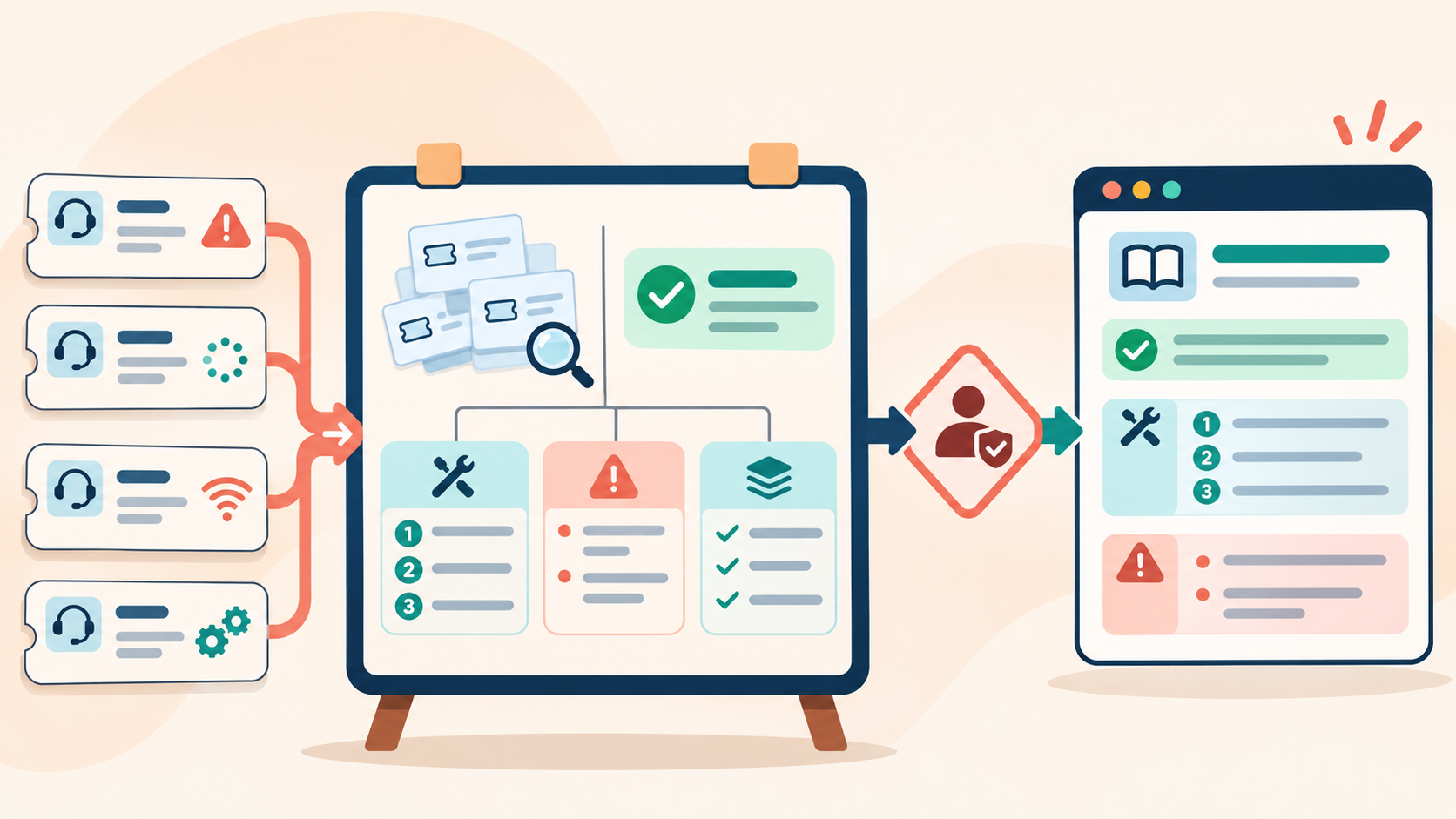
A queue of support tickets contains useful knowledge, but it does not contain a ready-made article. One ticket may describe the symptom clearly, another may reveal the environment, and a third may contain the fix that finally worked. If a support or knowledge manager asks AI to merge them too early, the draft can turn one customer’s workaround into a universal instruction, lose an important condition, or invent a cause that nobody proved.
Use AI for the sorting and drafting work, not for deciding what is true. Build a small evidence set from several permitted, anonymised cases. Keep the symptom, environment, verified resolution, exceptions and ownership visible. A product or service owner must approve the result before it becomes guidance for other people.
The boundary
A ticket records what happened in one context. A knowledge article states what another person can safely try. The move from case to guidance needs evidence and an owner.
Start with the knowledge pattern, not the longest ticket
Knowledge-Centered Success (KCS), maintained by the Consortium for Service Innovation, treats knowledge as a by-product of solving requests. Its article model keeps the requestor’s issue and environment beside the responder’s resolution, then improves the article through reuse. That is a stronger starting point than feeding a model every ticket and asking for a polished answer.
First search the existing knowledge base. If a useful article exists, improve or flag it instead of creating a duplicate. If the pattern is new, choose two to five cases that teach the same resolution. Remove names, contact details, secrets and unrelated customer information. Use only a tool and workspace approved for the remaining material.
The CASE article frame
C — Context
Describe the product, version, environment and trigger that make the article relevant. Keep differences between cases visible.
A — Actual evidence
Attach each symptom, step and result to a ticket event, log, approved document or named owner check.
S — Safe resolution
Write only the steps that were verified. State prerequisites, permissions, reversibility and stop conditions.
E — Exceptions and owner
List cases where the fix does not apply, open questions, escalation route, article owner and review trigger.
Use several cases without flattening their differences
A cluster is useful only when the cases belong together. Similar wording does not prove the same cause. Group tickets by the user goal, observable symptom, relevant environment and verified resolution. Keep a case separate when the product version, permissions, data state or error path changes the safe answer.
| Weak synthesis | Evidence-led article | |
|---|---|---|
| Scope | Assumes all export failures are the same | Names the affected version, file type and permission state |
| Cause | Says the cache caused the problem | States only what logs or an owner confirmed |
| Resolution | Copies the quickest workaround | Keeps tested steps, prerequisites and a rollback or stop rule |
| Exceptions | Omits the cases that did not work | Lists mismatches and the escalation route |
| Maintenance | Has no named owner | Records owner, review trigger and last verification date |
Worked example: a failed report export
Imagine five fictional tickets about a report that will not export. Three concern CSV exports in version 8.4 after a permission change. One concerns a PDF renderer in version 8.3. One is a network timeout. The successful CSV cases show the same verified sequence: confirm the user has the export permission, refresh the role assignment, sign out and back in, then retry with the same saved report.
Reading is a start. Practice makes it stick.
Start learningAn unsafe AI draft might say, “Report exports fail because permissions are cached; reset the user role.” The evidence supports less. It shows a repeated symptom in one version and one permission state, plus a tested recovery sequence. It does not establish a universal cause. The PDF and timeout cases must remain outside the article or appear as explicit exceptions.
From tickets to a reviewable draft
- 1
1. Search and select
Check existing articles, then select a small group of cases with the same goal and verified resolution.
- 2
2. Build an evidence table
For each case, record symptom, environment, steps tried, observed result, source locator and unresolved difference.
- 3
3. Ask AI to structure, not generalise
Require CASE sections, source locators and ‘not established’ wherever the evidence does not support a statement.
- 4
4. Test the instructions
Have a qualified reviewer run the steps on a safe representative case and confirm prerequisites and stop conditions.
- 5
5. Publish with ownership
Name the article owner, verification date, feedback route and event that should trigger an update.
A bounded prompt for the first draft
Using only the approved evidence table below, draft a CASE knowledge article. Preserve the stated environment for every case. Do not infer a common cause. Include a source locator beside each material claim. Put conflicting or unsupported items under Exceptions and write ‘not established’ when evidence is missing. Do not publish or change any record.
A structured draft with context, evidence-backed resolution steps, explicit exceptions and an owner-review list.
Use anonymised, approved material. A qualified human checks every step before publication.
NIST’s Generative AI Profile describes confabulation as confidently presented false or inconsistent content. UK government guidance likewise says users should verify outputs against original sources and involve experts for important material. In a knowledge base, that means the source of truth is not the model’s merged prose. It is the checked case evidence, approved product documentation and accountable reviewer.
Review the article where people will use it
The final check should happen in the knowledge workflow, not only inside the chat. Confirm that the title uses language a user would search, the environment is visible before the steps, each action is safe for the stated audience, and every exception has a next route. Publish through the normal approval system, then treat reuse as review: when a future ticket reveals a missing condition, improve the article while the context is fresh.
Connect the draft to the wider review workflow
For adjacent work, use https://bokili.com/en/learn/customer-complaint-evidence-first-ai-brief when a live complaint needs an escalation brief, https://bokili.com/en/learn/ai-incident-notes-verified-timeline when disputed events need a chronology, and https://bokili.com/en/learn/ai-handoff-card-human-review when an AI-assisted draft must travel with its evidence and open questions. These pages handle different artefacts; this playbook is specifically for publishing reusable support knowledge.
Knowledge article publication gate
- An existing article was searched before a new one was created.
- The selected tickets share a verified resolution, not only similar wording.
- Personal, confidential and unnecessary case data was removed.
- Every material claim traces to a permitted source or owner check.
- Prerequisites, permissions, stop conditions and exceptions are explicit.
- A qualified person tested the steps on a safe representative case.
- The article has an owner, verification date and feedback route.
- Choose three anonymised or fictional tickets that appear to share one resolution.
- Write the user goal, environment and verified result for each case.
- Circle every difference that could change the safe instructions.
- Draft four headings: Context, Actual evidence, Safe resolution, Exceptions and owner.
- Add one source locator beside each proposed step.
- Ask the service or product owner which claim still needs proof.
Make the article narrower and more trustworthy
AI can reduce the effort of comparing cases and shaping a consistent draft. It should not turn support history into policy by itself. Keep the case boundaries visible, test the instructions, and publish only the smallest claim the evidence supports. A narrow article that resolves the right case is more useful than a fluent answer that sends every reader down the same path.
Practise this in Bokili
Turn what you just read into a ten-minute mission.
- Start learning
Build one evidence-tagged knowledge article
Compare safe support cases, preserve context and exceptions, and prepare a draft for owner review.
Sources
- Output: the KCS Article — Consortium for Service Innovation
- The Solve Loop — Consortium for Service Innovation
- Artificial Intelligence Risk Management Framework: Generative Artificial Intelligence Profile — NIST
- Using AI at work — UK Government AI Knowledge Hub
Reading is a start. Practice makes it stick.
Bokili turns skills like this into ten-minute missions for your whole team, with instant feedback and progress you can see.
Start learningKeep reading

AI Training for Employees: Pause Before Recording a Meeting
Teach employees a five-part check for purpose, notice, sensitive data, approved tools and downstream use before an AI recorder joins.

Critical Thinking Is Not a Module in AI Training
Make judgement observable by adding one challenge question—and one correction—to every realistic AI practice task.

AI Training for Employees: Add Two New-Hire Checkpoints
Build AI training into onboarding with a safe first-week practice and a fresh transfer check after the new hire learns the workflow.