

Use Perplexity Projects to Build a Repeatable Research Brief
Turn a recurring research task into a controlled workspace with approved files, durable instructions, dated evidence and a visible human review.
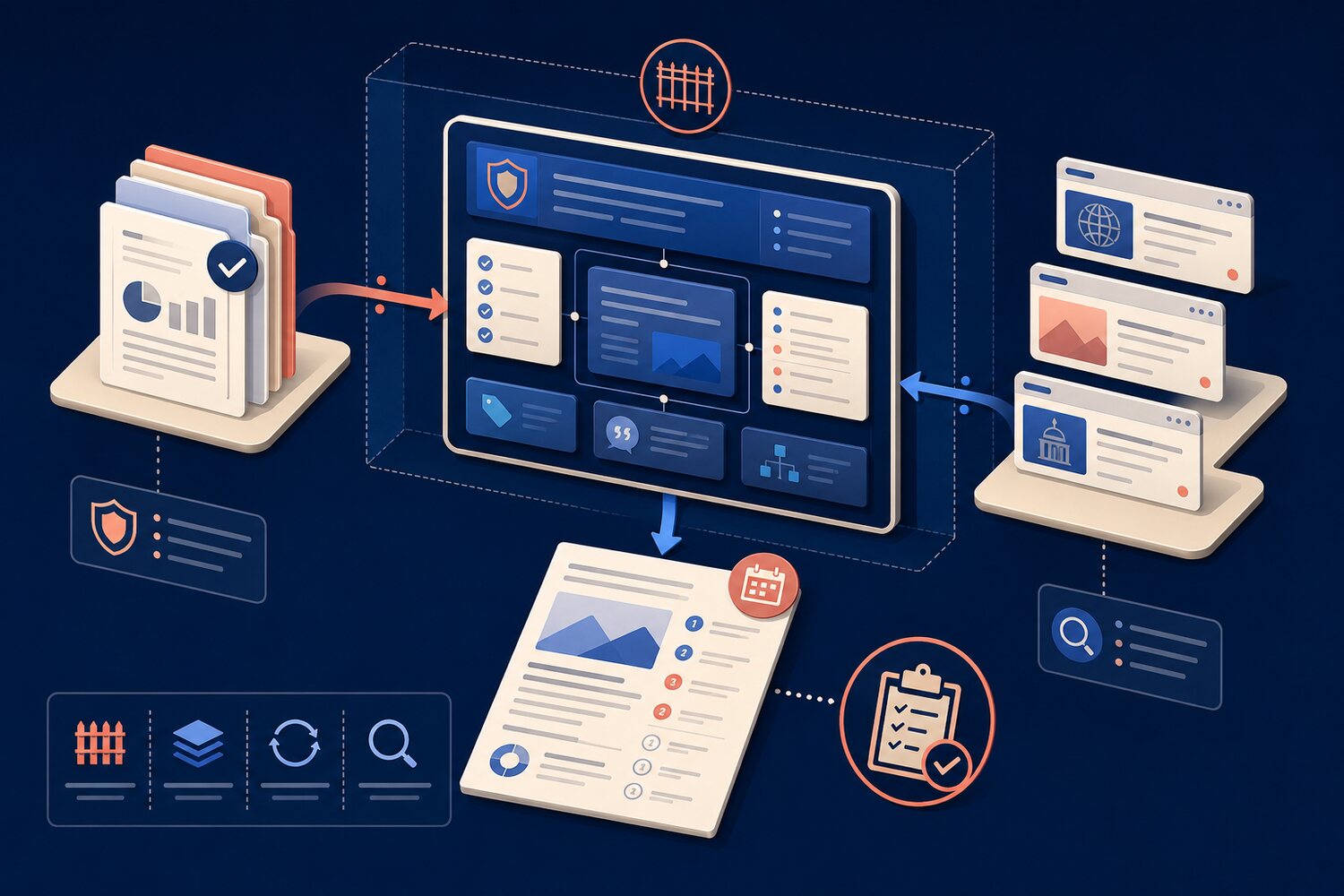
A recurring research brief often fails in small ways: the question changes, an old internal document slips into the evidence, a current web claim loses its date, or the next analyst cannot see why a source was trusted. Perplexity Projects can reduce that drift by keeping files, instructions, source preferences and research history in one persistent workspace. The value is not that the tool makes every answer correct. The value is that you can make the method visible, repeatable and easier to review.
Treat the Project as a research control, not a bigger chat
Perplexity describes a Project as a persistent, shareable workspace that can hold conversations, tasks, files, custom instructions, connected tools and accumulated context. Current documentation also says Projects are restricted by default, with sharing and connector controls managed by owners and administrators. Those controls help, but they do not replace judgement: project files can become stale, web pages can conflict, and a fluent synthesis can still hide an omission.
Use the workspace to fix the rules that should survive each weekly run. Keep the changing question in the new session; keep the stable scope, approved references, output shape and evidence rules in the Project. That separation is what turns a one-off search into a dependable workflow.
The BRIEF setup
Boundary
Name the decision, audience, geography, time window and exclusions. A brief about competitors is not permission to search every company or every market.
References
Add only approved internal files. Record an owner and review date outside the file if the document does not show them clearly.
Instructions
Define the output sections, evidence standard, date format and how unknowns must be shown. Tell the tool not to smooth over disagreement.
Evidence
Require a claim table with source, publication or update date, internal versus web origin, and a short note on what the source actually supports.
Freshness
Before reuse, check whether the question, internal files, web sources or access permissions have changed.
Worked example: a weekly supplier brief
Imagine an operations analyst who prepares a Monday brief on three software suppliers. The approved internal material is a requirements document, the latest security questionnaire and the signed service schedule. The web portion covers product changes and official incident notices from the previous seven days. The decision is narrow: does anything require a contract-owner review this week?
Reading is a start. Practice makes it stick.
Start learningBuild the Project once, then run it with a fresh date
- 1
Create a restricted Project
Use a precise name and invite only the people who need the files. Check the sharing policy before adding sensitive material.
- 2
Add the approved reference set
Upload or connect the three internal documents. Remove duplicates and note which document wins if terms conflict.
- 3
Write stable instructions
Fix the three suppliers, the seven-day window, the required source table and the rule that unsupported claims become unknowns.
- 4
Run a dated request
Ask for the brief as of 31 August 2026. Keep the date in the request so the next run cannot silently reuse the old window.
- 5
Review before hand-off
Open the decisive citations, compare them with the source text, mark unresolved conflicts and name the person who must act.
Prepare a weekly supplier-change brief for the contract owner. Cover only Supplier A, Supplier B and Supplier C. Use the approved project files for our requirements and contract facts. Use current web sources only for changes published in the stated seven-day window. Separate internal facts, web facts and analyst inferences. For every material claim, show the source, source date and what it supports. If sources conflict or evidence is missing, write “Unresolved” and explain the next check. End with: no action, monitor, or owner review required. Do not recommend a decision without opened evidence.
A short decision brief, followed by an evidence table and a visible unresolved-items section.
Adjust source access and data handling to your organisation’s policy. Feature availability can depend on plan and administrator settings.
Check the evidence, access and hand-off
Perplexity’s current Internal Knowledge Search documentation says users can combine organisation files with web sources and receive inline file citations. Its connector guidance adds an important limit: someone may be able to search a file through a shared Project yet can view the cited source only if they already have permission in the original storage system. Design the hand-off around that reality. A reviewer who cannot open the evidence cannot complete the review.
Before you reuse the brief next week
- Change the date window and restate the decision the brief supports.
- Confirm that every internal file is still current, approved and necessary.
- Check that collaborators still have the right access—and no broader access than needed.
- Open the citations behind every action-changing claim.
- Label inference, disagreement and missing evidence instead of blending them into prose.
- Record the reviewer, decision and unresolved follow-up.
- Remove files or collaborators when the work ends.
Make repeatability visible
A Project is useful when a colleague can see the boundary, reproduce the search and challenge the evidence. It should not become a sealed memory box that nobody cleans. Pair this method with Bokili’s omission check for AI summaries, workflow hand-off and prompt experiment template. The best weekly brief is not the most polished one. It is the one whose sources, dates, unknowns and next owner remain inspectable.
Sources
- What are Projects? — Perplexity Help Center
- What is Internal Knowledge Search — Perplexity Help Center
- Perplexity Connectors for Enterprise: Frequently Asked Questions — Perplexity Help Center
Reading is a start. Practice makes it stick.
Bokili turns skills like this into ten-minute missions for your whole team, with instant feedback and progress you can see.
Start learningKeep reading

Corporate AI Training: Test for Obsolete Habits
Corporate AI training should test which old habit survives a tool, policy or workflow change—then practise the replacement on a fresh case.

AI Often Reveals the Broken Workflow Before It Improves It
An AI pilot can expose missing sources, rules, owners and skills before it creates speed. Diagnose the gap before prescribing more training.

AI Skills for Employees: Build a Prerequisite Ladder
Build AI skills for employees in the right order: frame the task, set boundaries, check the result and decide what happens next.