

Turn Incident Notes Into a Verified Timeline With AI
Use AI to structure incident notes without hiding conflicting times, missing evidence or unproven causes.
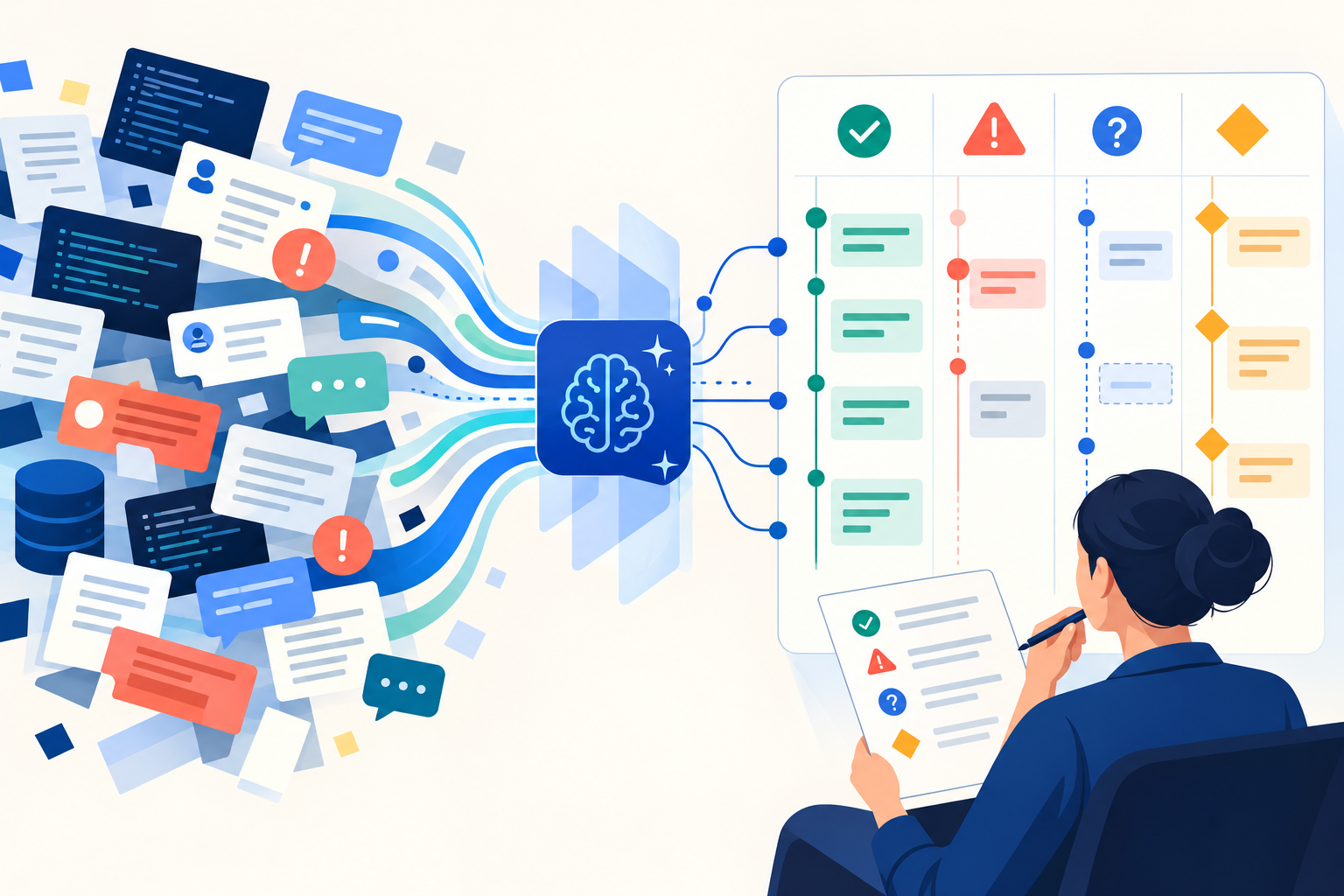
Operations teams often ask AI to turn tickets, chat messages, monitoring alerts and hand-written updates into an incident timeline. The useful part is structure. The dangerous part is compression: a smooth chronology can hide conflicting times, repeated reports and an unproven cause. This role playbook shows service and operations managers how to use AI for the sorting work while keeping every event attached to evidence.
The rule
Let AI arrange the record. Do not let it settle a disputed fact.
Why incident notes need more than a summary
An incident record supports response, recovery and later learning. NIST’s current incident-response guidance treats preparation, detection, response and recovery as connected risk-management work. That makes the timeline more than a narrative: it is a working control. The UK Government Data Quality Framework adds a useful test for the underlying material—accuracy, consistency, timeliness and documentation should be visible to the people who use the record.
Generative AI can group duplicate updates, normalise time formats and expose gaps. It can also infer a sequence that nobody observed. The method below separates observation from interpretation before anyone relies on the result.
Build a four-column incident timeline
The evidence-first timeline
When
Record the event time and the report time separately. Preserve the original time zone and note any conversion.
What
State one observable event in neutral language. Keep suspected causes and consequences in separate fields.
Evidence
Name the ticket, log line, alert, message or person that supports the event. Keep a stable reference to the source.
Status
Tag the row confirmed, disputed, inferred or unknown. Only a named reviewer may change the tag.
Use AI in five controlled steps
From raw notes to a reviewable chronology
- 1
1. Set the boundary
Choose the incident window, approved sources, time zone and intended audience. Remove secrets and personal data that the tool is not permitted to process.
- 2
2. Extract candidate events
Ask for one row per observable event. Require the source identifier and original timestamp in every row; reject rows without evidence.
- 3
3. Normalise without merging
Convert formats and group obvious duplicates, but keep both source references. Do not let the model collapse messages that disagree.
- 4
4. Challenge the order
Ask which rows conflict, which depend on an inference and where the record has a gap. Send those items to the incident lead or source owner.
- 5
5. Freeze a reviewed snapshot
Record the reviewer, review time and unresolved questions. Later updates create a new version instead of silently changing the old one.
Worked example: a fictional checkout outage
At 09:06, monitoring reports a rise in payment errors. At 09:08, a support message says customers cannot place orders. At 09:11, a deployment channel notes that a release completed at 08:58. A rushed AI summary might say the release caused the outage. The evidence does not yet support that claim.
Reading is a start. Practice makes it stick.
Start learning| Weak chronology | Verified timeline | |
|---|---|---|
| 09:06 | Checkout outage begins after deployment. | Payment-error alert crosses threshold; source: monitor A-184; status: confirmed. |
| 09:08 | Customers report the same deployment issue. | Support reports failed checkouts; source: ticket cluster S-22; status: confirmed. |
| 08:58 release | Root cause identified. | Release completed before alerts; causal link not established; status: disputed. |
| Gap | No gap shown. | No payment-provider status captured between 08:55 and 09:10; status: unknown. |
The second version is less fluent and more useful. It tells the incident lead what is known, what still needs checking and which source can answer the next question. A later root-cause analysis can build on this record without mistaking sequence for causation.
A prompt that preserves uncertainty
Create a candidate incident timeline from the approved notes below. Use four fields for every row: event time and report time; neutral observation; exact source identifier; status as confirmed, disputed, inferred or unknown. Do not infer a cause. Keep conflicting reports as separate rows. After the table, list missing intervals, contradictions and questions for a named human reviewer.
09:06 / 09:06 — Payment-error alert crossed its threshold — monitor A-184 — confirmed.
08:58 / 09:11 — Release completion reported — deploy D-77 — confirmed event; causal link unknown.
Question: what changed in the payment-provider status between 08:55 and 09:10?
Use only approved material. Replace the example identifiers with stable references to your own records.
Review before the timeline leaves the incident room
Timeline verification checklist
- Every row names an evidence source or is removed.
- Event time and report time are not confused.
- Time zones and clock differences are explicit.
- Duplicate reports retain their source references.
- Contradictions remain visible rather than averaged away.
- Causes, impacts and decisions are separate from observations.
- Unknown intervals and missing systems are listed.
- A named owner reviewed the snapshot and unresolved questions.
- The version and review time are recorded.
Common failure modes
Do not paste an unfiltered incident channel into an unapproved tool. Do not ask for a root cause when the task is chronology. Do not accept a row that cites ‘the notes’ instead of a stable source. Do not replace the reviewed snapshot with a cleaner version after the meeting. The NIST Generative AI Profile is a useful reminder that confident output can still be inaccurate; traceability and human review remain part of the work.
Try the method in ten minutes
- Write six fictional incident updates with two different time formats.
- Make two updates duplicates, one contradiction and one unsupported cause.
- Run the evidence-first prompt using only the fictional pack.
- Check whether each row preserves a source and uncertainty tag.
- Correct one merged contradiction and add the missing question.
- Save the reviewed snapshot with a version and reviewer.
The goal is not a perfect story. It is a trustworthy working record. When AI removes clerical effort without removing uncertainty, the operations team can spend its attention on the next decision.
Continue the workflow
Use the AI hand-off guide to carry evidence into the next reviewer, the assumption log to separate facts from dependencies, and the omission check before acting on a compressed record. Bokili turns these behaviours into short practice tied to real roles, tools and review decisions.
Sources
Reading is a start. Practice makes it stick.
Bokili turns skills like this into ten-minute missions for your whole team, with instant feedback and progress you can see.
Start learningKeep reading

Free AI Course or Workplace Training? Run a Transfer Test
Use the four-part WORK test to decide whether a free AI course is enough or needs company-specific practice.

Build an AI Non-Use Register Before Adoption Spreads
An AI non-use register records which business tasks should not use AI yet, why, who owns the decision and what safer route remains available.

AI Training Platform for Companies: Run an Admin-Day Test
Before choosing an AI training platform for companies, simulate five routine admin events and count the work, handoffs and evidence each one creates.