

Design the Manual Fallback Before AI Becomes Normal
An AI workflow is not resilient because someone could take over. Build and rehearse a five-part manual fallback before the old route disappears.
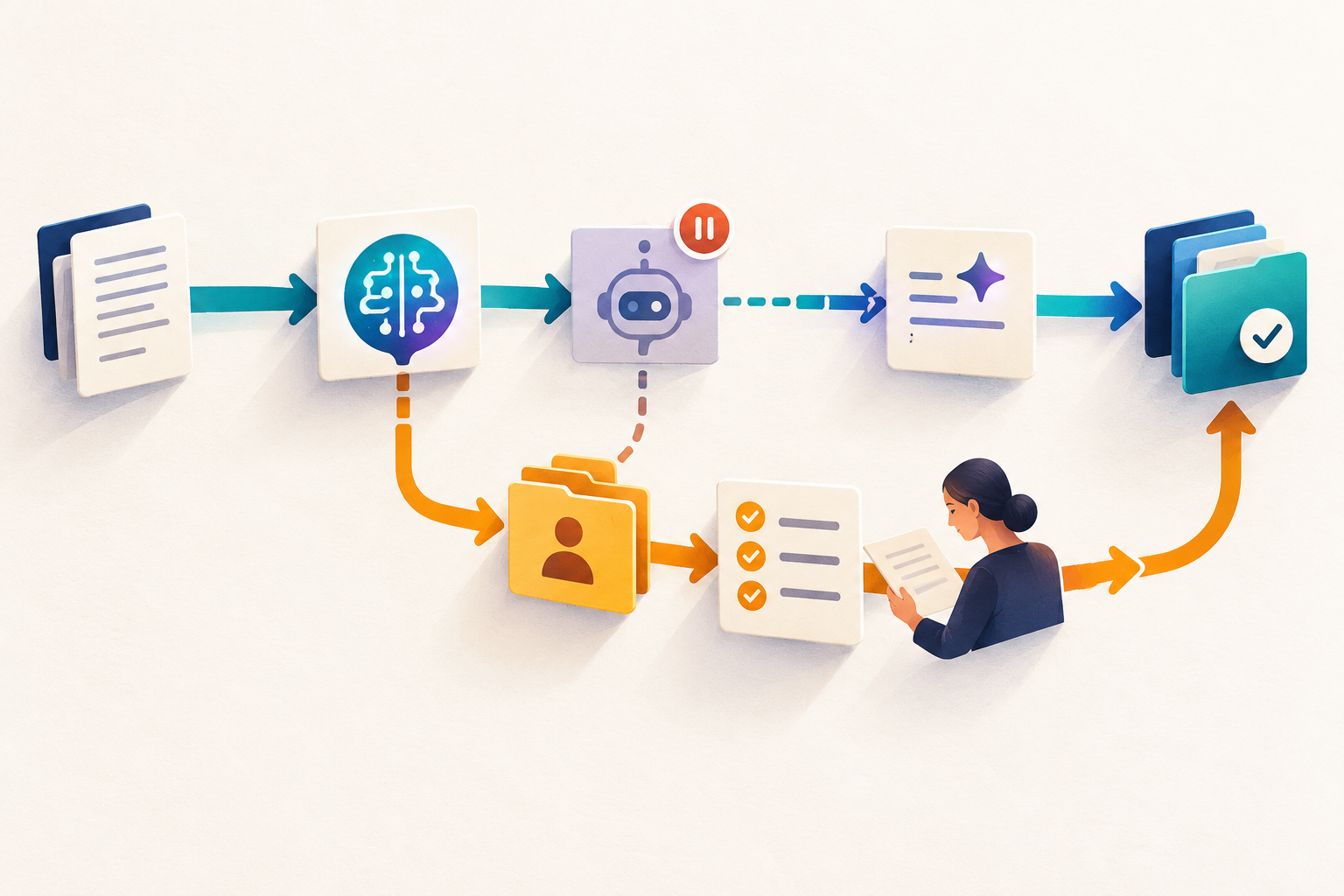
An AI-enabled workflow is not resilient merely because a person can take over in theory. When the tool pauses, a vendor fails, a risk threshold is crossed or an output becomes unsafe, teams need a route that works without improvisation. The UK Government’s AI Playbook explicitly recommends fallback processes so critical services can continue when an AI change is reversed or a system is stopped. NIST similarly recommends contingency processes, redundancies and tested incident-response plans for important AI systems.
The practical lesson is simple: design the manual fallback while the normal workflow is still visible. If you wait for a failure, the old process may already be forgotten, access may have changed and the people who knew the work may no longer be available.
A fallback is a working route, not a paragraph in a policy
It needs a trigger, an owner, a minimum acceptable output, the inputs required to continue, and a rule for returning to the AI-enabled route.
Why an informal fallback decays
Early in a pilot, everyone remembers how the task was done before AI. Six months later, the workflow has changed. Templates have moved. People rely on new summaries. Review time has been reduced. A supplier or internal model may now sit in the middle of several dependent steps.
That creates a continuity gap. The organisation still believes a manual process exists, but the process has not been exercised under current conditions. A list of old steps is not enough if nobody knows who declares the switch, which cases take priority or what evidence must be retained.
| Informal fallback | Rehearsed fallback | |
|---|---|---|
| Trigger | “Use judgment if AI fails” | Named conditions start the fallback |
| Owner | Whoever notices the problem | One role declares and coordinates the switch |
| Output | Try to reproduce everything | Deliver a defined minimum safe result |
| Return | Resume when the tool seems fine | Use a checked restart rule and reconcile queued work |
Build a five-part fallback card
The fallback card
Trigger
State observable conditions: unavailable service, missing source, failed acceptance test, prohibited data, or a named risk threshold.
Owner
Name the role that activates the fallback and the role that accepts the reduced service.
Minimum output
Define the smallest safe result the team must still produce, and what can wait.
Inputs
List the source files, permissions, contacts and templates needed when the AI route is unavailable.
Restart rule
Specify the checks required before resuming and how work completed manually will be reconciled.
This card should be short enough to use during pressure. It complements—not replaces—an incident plan. The incident plan coordinates response; the fallback card tells the people doing the work how to continue safely.
Reading is a start. Practice makes it stick.
Start learningWorked example: supplier-risk summaries
Imagine a procurement team uses AI to turn supplier questionnaires and evidence files into a weekly risk summary. The AI route saves reading time, but the summary informs decisions that cannot simply stop.
From AI route to manual route
- 1
Declare the switch
The procurement operations lead activates the fallback when the approved tool is unavailable for 30 minutes, a source file cannot be cited, or the acceptance check fails twice.
- 2
Triage the queue
Suppliers linked to a decision due within two working days are handled first; lower-priority reviews are logged and deferred.
- 3
Produce the minimum output
A reviewer records risk category, supporting source, unresolved question and decision owner. Narrative polish is optional.
- 4
Restore carefully
After service returns, one sample is tested, permissions are checked and manually completed cases are marked so the tool does not silently duplicate them.
The fallback does not try to imitate the automated summary. It protects the decision and its evidence. That is the key design choice: preserve the business outcome, not every convenience of the normal route.
Rehearse the degraded version
A useful rehearsal is small. Pick one normal case and one difficult case. Run the fallback for 20 minutes. Observe where people search for files, wait for approval or disagree about priority. Those frictions reveal whether the route is real.
Measure three things: time to declare the switch, time to first safe output and number of missing dependencies. Do not treat the rehearsal as a speed contest. A slower fallback can be acceptable if it remains accurate, traceable and usable.
- Choose one live AI-assisted workflow and write one observable stop condition.
- Name the person or role authorised to activate the fallback.
- Write the minimum safe output in one sentence.
- List the three inputs that must remain available without the AI tool.
- Define one restart check and one reconciliation step.
- Ask a colleague to run the card without verbal help; revise what they cannot follow.
Connect the fallback to the wider control system
A fallback works best beside an AI non-use register, clear pilot exit rules and a regular workflow friction test. Together, they define where AI may operate, when it should stop and how essential work continues.
Bokili helps teams practise these small operational decisions in short, role-relevant missions. The useful outcome is not confidence in a tool. It is confidence that the work can continue safely when the tool cannot.
Sources
- Artificial Intelligence Playbook for the UK Government — UK Government
- NIST AI RMF Playbook — Govern — NIST
Reading is a start. Practice makes it stick.
Bokili turns skills like this into ten-minute missions for your whole team, with instant feedback and progress you can see.
Start learningKeep reading

AI Training for Employees: Teach the Escalation Sentence
AI training for employees should teach what to say when an output is uncertain: one short hand-off with the task, gap, evidence checked and decision needed.

ChatGPT Training for Employees: Run a Clean-Context Drill
Test whether a workplace ChatGPT method can travel by rerunning it with only the approved brief, then repairing the hidden assumptions.

Every AI Mission Needs a Three-Line Decision Receipt
A finished artefact shows what a learner produced. A three-line decision receipt shows the choice, check and reusable rule behind it.